
LangGraph: The State Machine Approach to Python AI Agents
Learn LangGraph from scratch: state, nodes, edges, checkpointing, human approval and multi-agent patterns, with tested code and when NOT to use it.
Updated 13 min read

Learn LangGraph from scratch: state, nodes, edges, checkpointing, human approval and multi-agent patterns, with tested code and when NOT to use it.
LangGraph is an open-source Python and TypeScript framework for building stateful, long-running AI agents as graphs. LangChain Inc. builds it (the company raised $125M at a $1.25B valuation in October 2025), and Klarna and Uber run production agents on it.
Agents are easy to prototype and hard to ship. In LangChain's State of Agent Engineering survey, 57.3% of respondents had agents in production, and quality was the top barrier, cited by about a third. LangGraph keeps state between steps, so a crashed or paused agent resumes where it stopped instead of starting over.
This guide covers state, nodes, edges, checkpointing, human approval and multi-agent patterns. Every code block was run on Python 3.15.2 with langgraph 1.2.24. It also covers a case most tutorials skip: when NOT to use LangGraph.
TypedDict), Nodes (Python functions) and Edges (routing rules). You can learn all three in an afternoon.LangGraph is a graph-based execution runtime for stateful agents. A node is a Python function, an edge is a rule for which node runs next, and a StateGraph holds the shared state every node reads and writes. That is the whole mental model.
Harrison Chase put it this way in January 2024:
Another way to think about LangGraph is that it is an easy way to create **State Machines** state machine = labeled, directed graph Thinking of complex LLM systems as state machines (rather than autonomous agents) can often be useful to enforce more control https://t.co/i5vdJ9parX
The state machine framing changes how you debug. When an agent misbehaves, you do not stare at one giant prompt trace. You check which state field held the wrong value going into a specific node.
LangGraph is MIT licensed and has about 45,000 GitHub stars. PyPI Stats shows about 59 million downloads in the last month as of November 2026. The 1.0 release on October 22, 2025 marked the API as stable, and LangChain's own create_agent now runs on the LangGraph runtime.
Adoption grew from a concrete infrastructure problem. Before LangGraph, multi-turn memory, restart recovery or a human approval step meant custom serialization, background queues and database schemas. LangGraph makes persistence, streaming and deployment first-class features.
Tim Ruscica's tutorial calls LangGraph "a much more professional and in-depth framework" than LangChain or LlamaIndex. The trade is a steeper learning curve.
Every LangGraph agent reduces to State, Nodes and Edges. Understanding each is the whole job.
State is a TypedDict: a plain Python class describing the shared memory of your workflow. Every node reads it and returns partial updates. LangGraph merges those updates with reducers instead of replacing the whole object, which stops parallel branches from overwriting each other.
from typing import TypedDict


class AgentState(TypedDict):
    user_message: str
    intent: str
    reply: str
Keep state minimal. Everything in state is serialized on every checkpoint write, so a bloated TypedDict becomes a performance and cost problem in long workflows.
A node is a Python callable that receives the current state and returns a dict of partial updates. There is no magic. The runtime merges the return value into the running state.
def classify_intent(state: AgentState) -> dict:
    # An LLM call or any Python logic goes here
    intent = "question" if "?" in state["user_message"] else "command"
    return {"intent": intent}
Nodes can call LLMs, run tools, validate data or write to databases. The only constraint is state in, partial state out. That constraint is what makes the graph debuggable.
A direct edge sends execution from node A to node B. A conditional edge calls a routing function that reads the state and returns the name of the next node, or END to finish.
def route_by_intent(state: AgentState) -> str:
    if state["intent"] == "question":
        return "answer_node"
    return "action_node"
Conditional edges are where the power lives. An agent that retries on failure, falls back to web search when retrieval is weak, or pauses for approval before sending an email is a routing function.
Here is the full graph, wired up and runnable:
from langgraph.graph import END, START, StateGraph


def answer_node(state: AgentState) -> dict:
    return {"reply": "Answering your question."}


def action_node(state: AgentState) -> dict:
    return {"reply": "Running your command."}


builder = StateGraph(AgentState)
builder.add_node("classify_intent", classify_intent)
builder.add_node("answer_node", answer_node)
builder.add_node("action_node", action_node)
builder.add_edge(START, "classify_intent")
builder.add_conditional_edges("classify_intent", route_by_intent)
builder.add_edge("answer_node", END)
builder.add_edge("action_node", END)
graph = builder.compile()

print(graph.invoke({"user_message": "What is LangGraph?"})["reply"])
print(graph.invoke({"user_message": "Deploy the app"})["reply"])
Running it prints:
Answering your question.
Running your command.LangGraph requires Python 3.10 or newer. The core package has no LLM dependency, so install it alone to run every example in this guide, then add a checkpoint backend as needed.
# Core
pip install -U langgraph

# Persistence (pick one)
pip install -U langgraph-checkpoint-sqlite      # local development
pip install -U langgraph-checkpoint-postgres    # production
If you migrate from v0.x, note that LangGraph 1.0 deprecated the langgraph.prebuilt module. Its agent helpers moved to langchain.agents as create_agent. The StateGraph API itself carried over, and the 1.x series promises no breaking changes before 2.0, so you can pin a version with confidence.
When you add a model, install its integration (for example langchain-openai) and set the provider key in your environment. Never paste keys into code.
The minimal agent takes five steps: define state, define a node, wire the graph, compile with a checkpointer, invoke.
import operator
from typing import Annotated, TypedDict

from langgraph.checkpoint.memory import InMemorySaver
from langgraph.graph import END, START, StateGraph


# 1. Define state (history appends instead of overwriting)
class State(TypedDict):
    user_message: str
    assistant_reply: str
    history: Annotated[list[str], operator.add]


# 2. Define a node
def respond(state: State) -> dict:
    # Swap this for an LLM call in a real agent
    reply = f"You said: {state['user_message']}"
    return {"assistant_reply": reply, "history": [state["user_message"]]}


# 3. Wire the graph
builder = StateGraph(State)
builder.add_node("respond", respond)
builder.add_edge(START, "respond")
builder.add_edge("respond", END)

# 4. Compile with a checkpointer
graph = builder.compile(checkpointer=InMemorySaver())

# 5. Invoke twice on the same thread
config = {"configurable": {"thread_id": "session-1"}}
result = graph.invoke({"user_message": "Hello"}, config)
print(result["assistant_reply"])
result = graph.invoke({"user_message": "Are you still there?"}, config)
print(result["history"])
The output shows the second call remembered the first:
You said: Hello
['Hello', 'Are you still there?']
The thread_id is the checkpoint key. Reuse it and the graph loads the saved state, and use a new one to start an empty thread. That is multi-turn memory with no custom code.
To swap in durable storage, use SqliteSaver as a context manager and reuse the same file:
from langgraph.checkpoint.sqlite import SqliteSaver

with SqliteSaver.from_conn_string("checkpoints.db") as checkpointer:
    graph = builder.compile(checkpointer=checkpointer)
    print(graph.invoke({"user_message": "Hi"}, config)["history"])
It prints the saved history from a fresh database:
['Hi']State now lives in checkpoints.db, so a restarted process can read it by thread_id.
Checkpointing is LangGraph's answer to the most common production failure: agents that lose their place.
LangGraph saves a checkpoint of the state as the graph runs. If a run fails partway, you resume the same thread from the last saved checkpoint instead of replaying completed work.
Checkpointer | Use Case | Notes |
|---|---|---|
| Development, fast iteration | Lost on process restart ( |
| Local file-based storage | Documented for development |
| Production | Call |
The persistence docs also warn that checkpoints grow without bound over long conversations. Prune old ones on a schedule or set a retention policy.
The KalviumLabs engineering team documented a concrete case: a document review agent that restarted from scratch after a 20-minute pause was fixed with LangGraph checkpointing in 45 minutes. The workaround they had been prototyping would have taken about a week.
Their production advice from the same post: "Most agents fail in production because state grows unbounded. Prune aggressively."
Checkpoints are per thread. For memory that survives across threads and sessions, LangGraph has a store with put, get and search semantics. Chase announced it in October 2024:
🚀We're launching "long-term memory" support in LangGraph At its core, long-term memory is "just" a persistent document store that lets you *put*, *get*, and *search* for memories you've saved Why so simple? 🧵 https://t.co/7dnUPUB4Oa
The docs frame the split clearly: checkpointers hold short-term, thread-scoped memory, and stores hold long-term, cross-thread memory. Use a store for user preferences, past decisions and facts an agent should recall across conversations.
Human-in-the-loop (HITL) is built into the graph, not bolted on. You call interrupt() inside a node to pause, hand a value to the caller, and wait. The same checkpointing that handles crash recovery stores the paused state.
from typing import TypedDict

from langgraph.checkpoint.memory import InMemorySaver
from langgraph.graph import END, START, StateGraph
from langgraph.types import Command, interrupt


class State(TypedDict):
    draft: str
    status: str


def write_draft(state: State) -> dict:
    return {"draft": "Hi team, the report is ready."}


def send_email(state: State) -> dict:
    # Pauses here until the caller resumes with a value
    approved = interrupt({"question": "Send this email?", "draft": state["draft"]})
    return {"status": "sent" if approved else "cancelled"}


builder = StateGraph(State)
builder.add_node("write_draft", write_draft)
builder.add_node("send_email", send_email)
builder.add_edge(START, "write_draft")
builder.add_edge("write_draft", "send_email")
builder.add_edge("send_email", END)
graph = builder.compile(checkpointer=InMemorySaver())

config = {"configurable": {"thread_id": "email-1"}}
paused = graph.invoke({}, config)
print(paused["__interrupt__"][0].value)

result = graph.invoke(Command(resume=True), config)
print(result["status"])
The first call stops at the interrupt and the second resumes with your answer:
{'question': 'Send this email?', 'draft': 'Hi team, the report is ready.'}
sent
Two rules from the interrupts docs matter. You need a checkpointer and a thread_id, and a resumed node restarts from its beginning, so any code before interrupt() runs again. Keep side effects after the interrupt.
Practical uses:
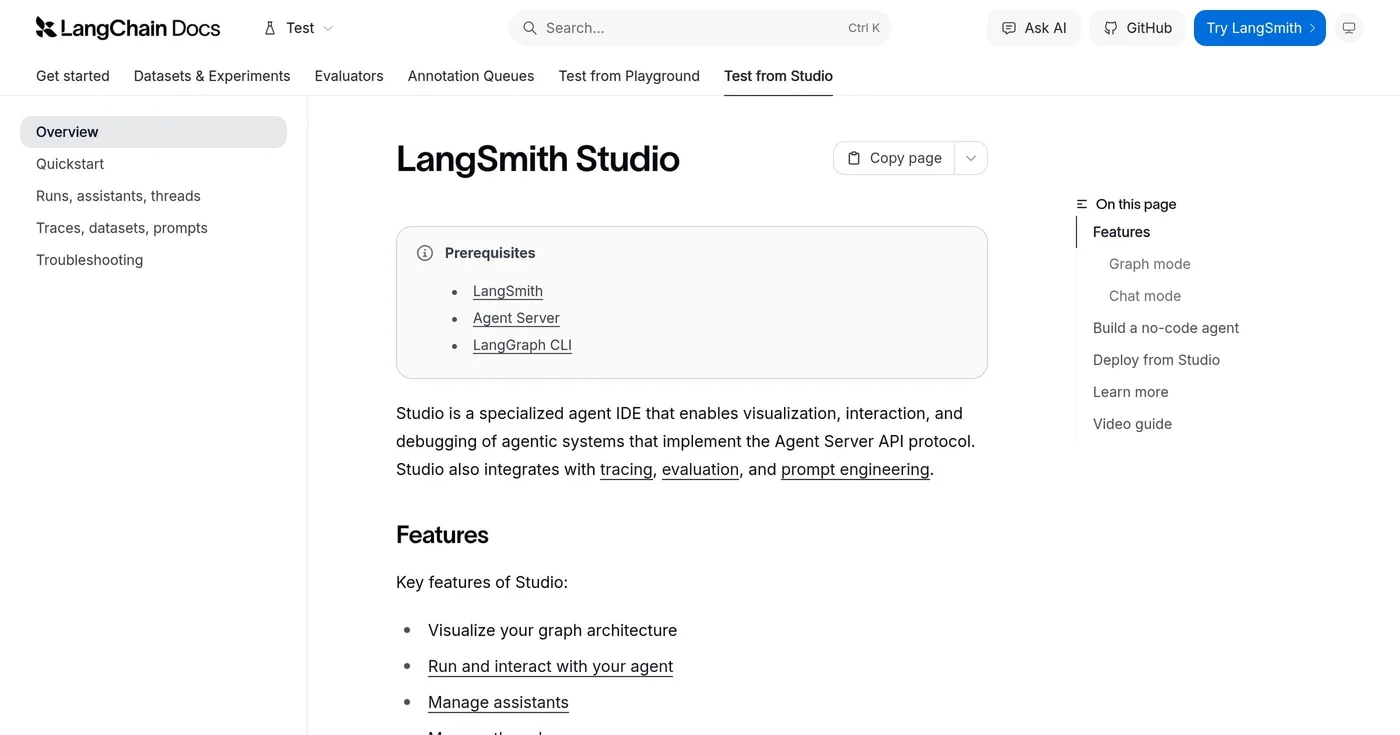
LangSmith Studio (launched as LangGraph Studio in August 2024) is the visual side. It is an agent IDE for visualizing, interacting with and debugging your graph.
This is my favorite thing we've launched in a while. Been using it for a week and has already changed how I build LLM apps Build your agent in code, then point LangGraph Studio at it. We'll visualize the agent, let you interact with it, and let you modify the state directly All https://t.co/sEeuVzTHDc
Multi-agent systems become useful when one agent's tool set grows large enough to hurt reliability. LangChain's Lance Martin makes the same point in a 2025 video, quoted below.
The fix is scope. Each agent handles a narrow set of tools, and a supervisor routes between them.
A controller routes to specialized agents. All agents share one TypedDict state, and reducers prevent write conflicts when branches run in parallel.
from typing import TypedDict

from langgraph.graph import END, START, StateGraph


class MultiAgentState(TypedDict):
    task_type: str
    result: str


def supervisor(state: MultiAgentState) -> str:
    if state["task_type"] == "research":
        return "research_agent"
    elif state["task_type"] == "code":
        return "code_agent"
    return "synthesis_agent"


def research_agent(state: MultiAgentState) -> dict:
    return {"result": "research done"}


def code_agent(state: MultiAgentState) -> dict:
    return {"result": "code written"}


def synthesis_agent(state: MultiAgentState) -> dict:
    return {"result": "summary written"}


b = StateGraph(MultiAgentState)
b.add_node("research_agent", research_agent)
b.add_node("code_agent", code_agent)
b.add_node("synthesis_agent", synthesis_agent)
b.add_conditional_edges(START, supervisor)
for name in ("research_agent", "code_agent", "synthesis_agent"):
    b.add_edge(name, END)
g = b.compile()

for task in ("research", "code", "other"):
    print(g.invoke({"task_type": task})["result"])
It routes each task type to its own agent:
research done
code written
summary writtenUse the Send API to spawn dynamic parallel workers, then join their results in a synthesis node. A reducer on the results key merges the workers' output.
import operator
from typing import Annotated, TypedDict

from langgraph.graph import END, START, StateGraph
from langgraph.types import Send


class State(TypedDict):
    task_list: list[str]
    results: Annotated[list[str], operator.add]


class WorkerState(TypedDict):
    task: str


def spawn_workers(state: State) -> list[Send]:
    return [Send("worker_node", {"task": task}) for task in state["task_list"]]


def worker_node(state: WorkerState) -> dict:
    return {"results": [state["task"].upper()]}


def synthesize(state: State) -> dict:
    return {"results": [f"{len(state['results'])} workers finished"]}


fb = StateGraph(State)
fb.add_node("worker_node", worker_node)
fb.add_node("synthesize", synthesize)
fb.add_conditional_edges(START, spawn_workers, ["worker_node"])
fb.add_edge("worker_node", "synthesize")
fb.add_edge("synthesize", END)
fg = fb.compile()

out = fg.invoke({"task_list": ["plan", "code", "test"], "results": []})
print(sorted(out["results"][:-1]), out["results"][-1])
Three workers run, then one node joins them:
['CODE', 'PLAN', 'TEST'] 3 workers finishedWorker order can vary between runs, which is why the example sorts before printing.
Replit's agent is a public example of a multi-agent system with human-in-the-loop on LangGraph, so users can see actions from package installs to file creation. Lance Martin's view on where this leaves production teams:
"Agents haven't been particularly reliable to date, particularly with large numbers of tools or complex trajectories of tool calls. And so a lot of people actually in production prefer workflows."
@RLanceMartin, LangChain YouTube (2025)
For most production work, structured workflows (predefined code paths with LLM-directed routing at decision forks) are easier to trust and debug than fully autonomous agents.
The LangChain vs LangGraph question is the first confusion for newcomers. They are two layers of one stack: LangChain is the fastest way to build an agent, and LangGraph is the lower-level runtime underneath. Our LangChain guide covers the higher layer, and LlamaIndex vs LangChain compares the retrieval-first alternative.
Aspect | LangChain 1.x | LangGraph 1.x | CrewAI |
|---|---|---|---|
Role | High-level agent framework ( | Low-level orchestration runtime | Crews of role-playing agents plus Flows |
Built on | The LangGraph runtime | Standalone | Standalone |
Best for | Getting an agent running fast | Custom, long-running, controllable agents | Agent teams with defined roles |
State persistence | Through LangGraph checkpointers | Explicit state and checkpointers | Flows manage state |
Python on PyPI | 3.11+ | 3.10+ | 3.10 to 3.13 |
GitHub stars (Nov 2026) |
Framework comparison at a glance
CyberArk Engineering explained the shift: "The main challenge with LangChain Agents is that they grant full control to a single LLM through one large prompt, which manages the entire workflow." Splitting the process into smaller, focused prompts "makes it easier to debug and fine-tune each individual component in the flow."
LangChain 1.0's create_agent uses LangGraph under the hood, so the two are an execution substrate and a component layer, not a fork in the road. CrewAI's own docs describe Flows for state and control flow, and Crews for collaborating agents, so it now covers both styles.
AutoGen is the third name that comes up in comparisons. Microsoft archived the AutoGen repository and points new users to Microsoft Agent Framework, so skip it for new work.
If you want a typed, lighter agent library, see our Pydantic AI guide.
Most guides sell LangGraph without saying when to skip it. Here is the honest list.
LangGraph is over-engineered for:
Single-step LLM calls. If your workflow is one prompt in and one response out, llm.invoke(prompt) is enough. Wrapping it in a StateGraph adds boilerplate and nothing else.
Simple RAG pipelines. Retrieve, prompt, respond is a three-step chain with no loops, no persisted state and no branching. LangChain handles it cleanly, and LangGraph adds no value.
Workflows under three or four nodes. Defining state, compiling and wiring edges has a real setup cost. For a two-step workflow, the framework is heavier than the problem.
Teams new to async Python. Streaming and parallel fan-out are easier with asyncio familiarity. Learning the graph abstraction and async semantics at once slows people down.
Proof-of-concept demos. If you must show something by Friday, use the simplest tool that works. Move to LangGraph when production requirements appear.
The test is simple. If your agent is a function with an if-statement inside, write the function.
The production track record is the strongest argument for LangGraph over newer frameworks that have not shipped at scale.
Company | Use Case | Result |
|---|---|---|
AI Assistant for customer support and escalations | Average query resolution time cut by 80% | |
Internal developer tools (code checks, test generation) | About 21,000 developer hours saved | |
AI recruiter with a hierarchical agent system | Frees recruiters for higher-level work | |
Multi-agent coding assistant with human-in-the-loop | Visible agent actions in production | |
Onboard satellite image analysis | Plain-English scene summaries generated in orbit |
The NAVI-Orbital case shows LangGraph on spacecraft hardware, not just cloud infrastructure. According to LangChain's post, the system runs Google DeepMind's Gemma 3 onboard and orchestrates it with LangGraph, so a satellite can describe a scene without downlinking the raw imagery first.
TypedDict first. Checkpointing serializes the full state on every write, so state bloat shows up as latency and storage cost.Annotated reducer such as operator.add merges concurrent writes to one key instead of letting one branch overwrite another.PostgresSaver for production. The docs describe SqliteSaver as local file storage for development.latest.graph.get_state_history() for post-mortems. It returns the saved snapshots for a thread_id, newest first.Here is get_state_history() on a real thread, using the SQLite saver:
import operator
from typing import Annotated, TypedDict

from langgraph.checkpoint.sqlite import SqliteSaver
from langgraph.graph import END, START, StateGraph


class State(TypedDict):
    user_message: str
    history: Annotated[list[str], operator.add]


def respond(state: State) -> dict:
    return {"history": [state["user_message"]]}


builder = StateGraph(State)
builder.add_node("respond", respond)
builder.add_edge(START, "respond")
builder.add_edge("respond", END)

config = {"configurable": {"thread_id": "session-1"}}

with SqliteSaver.from_conn_string("checkpoints.db") as checkpointer:
    graph = builder.compile(checkpointer=checkpointer)
    print(graph.invoke({"user_message": "Hi"}, config)["history"])

# A fresh saver on the same file sees the saved state
with SqliteSaver.from_conn_string("checkpoints.db") as checkpointer:
    graph = builder.compile(checkpointer=checkpointer)
    print(graph.get_state(config).values["history"])
    for snap in graph.get_state_history(config):
        print(snap.next, snap.values.get("history"))
On a fresh database it prints one snapshot per step, newest first:
['Hi']
['Hi']
() ['Hi']
('respond',) []
('__start__',) []State grows unbounded when you add a field for every piece of data any node might need. Keep fields typed, minimal and purpose-specific, and drop fields once nothing downstream needs them.
InMemorySaver is right for fast iteration, but it hides how the graph behaves once state must survive a restart. Test with SqliteSaver or PostgresSaver before you ship so serialization problems show up early.
Large tool sets hurt reliability, as Lance Martin's comment above notes. Scope tool sets tightly per agent and use conditional routing to dispatch between specialized agents.
LangChain is the higher-level agent framework, and LangGraph is the runtime beneath it. Your nodes can be any Python callables, not just LangChain components.
See "When NOT to Use LangGraph" above. Match the tool to the actual production requirement, and do not pick LangGraph because it appeared in a job description.
LangGraph's learning curve is front-loaded. The three primitives are simple on their own. The difficulty is designing a state schema that carries the right information through a multi-node workflow without bloating.
Before writing a node, sketch your TypedDict. Ask what each node must read and what it is allowed to write. Get that right and the rest of the graph follows.
New to the Python foundations? Review Python automation and Python data analysis first. The data-handling patterns in those guides apply directly to node design.

Jaccard similarity in Python with sets, sklearn, SciPy, NumPy and MinHash. Tested code, the SciPy distance footgun, real benchmarks and a decision table.
The Python GIL is a CPython mutex: one OS thread runs bytecode at a time. Default 3.14 still has it; 3.14t is supported opt-in.
Streamlit turns a Python script into a data app by rerunning the whole file. Covers session state, cache, Community Cloud caps, and when FastAPI wins.
