
Streamlit: The Rerun Model Before the Widgets
Streamlit turns a Python script into a data app by rerunning the whole file. Covers session state, cache, Community Cloud caps, and when FastAPI wins.
Updated 18 min read

Streamlit turns a Python script into a data app by rerunning the whole file. Covers session state, cache, Community Cloud caps, and when FastAPI wins.
Streamlit is an open-source Python library that turns a script into an interactive data app by rerunning the entire file on every widget click. Snowflake has owned the project since March 2022; it is not Flask, not React, and not an ML library. Current PyPI is 1.63.0 (1 September 2026).
Snowflake engineering runs 500+ Streamlit apps internally. Beginner pages still start at st.title and skip the part that actually bites: every slider replays your pd.read_csv().
st.session_state, @st.cache_data / @st.cache_resource, and @st.fragment.pip install streamlit, then streamlit run app.py. A browser tab opens on localhost:8501.
There is no separate HTML or JavaScript app to maintain. Widgets and charts are function calls.
The library is Apache 2.0 on GitHub (repo created 24 August 2019).
Any time the screen must update, Streamlit reruns the script from the first line to the last. Two triggers: you change the source during development, or a user interacts with a widget.
Three surfaces share the name.
Surface | What it is | Price |
|---|---|---|
OSS library | Local | $0, Apache 2.0 |
Community Cloud | GitHub to a public URL; hibernates; resource-capped | $0 |
Streamlit in Snowflake | Apps as Snowflake objects; warehouse or container runtime | Snowflake compute |
Snowflake Inc. announced the acquisition on 2 March 2022. TechCrunch reported $800M; Snowflake's own PR does not state a price. That is ownership context, not the reason to pick the library.
The homepage banner can lag PyPI. As of 8 September 2026 the marketing site still said "New in 1.62" while PyPI served 1.63.0. Prefer PyPI for the current version.
Tyler Richards (now at Snowflake) described the original pitch from Meta in 2019: an app in about an hour, then walking the laptop into meetings because he did not yet know how to deploy anything.
"I made an app in like an hour that just allowed people to move around some sliders. I literally brought it down around to meetings and handed people my laptop. I didn't know how to do any deployment because I didn't even know how to pronounce Kubernetes."
Tyler Richards in "Best Practices for Building Streamlit Apps" (Snowflake Developers, 0:42)
That hour-to-demo is still why teams reach for it.
Snowflake's own engineering org is the largest published production footprint, spanning 70+ teams and more than half of internal Streamlit views. Treat that as prototype-to-internal-tool at the company that owns the library, not as proof that every public SaaS should be a Streamlit app.
The Streamlit homepage still claims, as of a 15 November 2024 marketing line, that it is "Trusted by over 90% of Fortune 50 companies." That is a dated homepage claim, not a 2026 census.
For the data work around the app (load, transform, plot), Pynions already has a Python data analysis workflow and a Polars path when pandas starts to hurt. Streamlit is the UI layer on top of that work, not a replacement for it.
streamlit run your_script.py starts a local Starlette/Uvicorn HTTP plus WebSocket server (the default since 1.57.0) and a browser tab. The host process supplies compute and storage for every viewer.
The app cannot see a user's filesystem except through st.file_uploader. webbrowser opens a browser on the server, not on the viewer's laptop. Load-balanced replicas need session affinity or WebSocket features break.
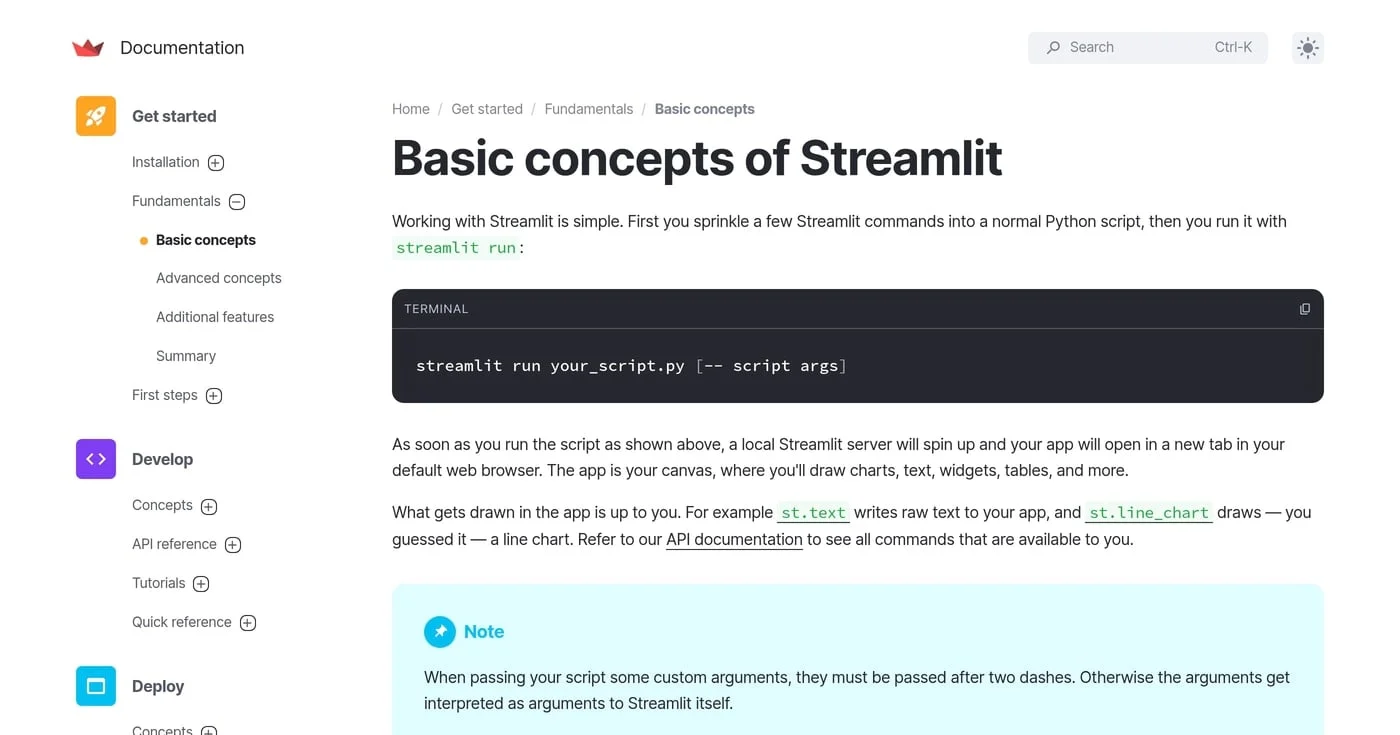
There is no long-lived app process holding routing and state across requests the way Flask or FastAPI does. Save, click, or drag a slider, and Streamlit runs the file again; the WebSocket holds the tab while the runner diffs the UI tree and sends changed nodes.
That is fast when a few hundred lines of Python finish in milliseconds. It is slow the moment a 500 MB CSV sits in module scope.
Fanilo Andrianasolo, who teaches Streamlit in production, names the runtime without dressing it up.
"That's how I make sense of Streamlit: it's a Python looping machine that reruns the script every time you interact with a widget. It is very easy to use until you want to break out of that loop. Even the documentation tells you features to work around the linear top-to-bottom model are considered advanced features of Streamlit."
Fanilo Andrianasolo in "5 Things I Wish I Knew Before Learning Streamlit" (YouTube, 4:58)
Discuss threads titled "How to completely stop automatic reruns?" resolve to: you don't. Reruns are the backbone.
st.rerun is an explicit halt-and-queue escape hatch (scope="app" by default, or "fragment"). It is not a kill switch for the model.
The current API is st.rerun. st.experimental_rerun is retired. If a 2026 comparison table still lists the experimental name, ignore that row.
Widget identity changed in v1.55.0: key is primary, so changing label, options, or default no longer resets a keyed widget. If a widget command is not called in a run, Streamlit deletes it, including its Session State key. Widgets are not stateful between pages; the same key on two pages is two widgets.
Session-state binding is one-way. Interacting with a widget updates st.session_state[key].
Writing that key after the widget exists raises StreamlitAPIException. Change the key to remount.
1.63.0 (1 September 2026) changes the edges, not the model.
Event-scoped fragment reruns: @st.fragment(key=…) plus st.rerun("filters") from a widget callback. st.rerun() and st.switch_page() now take effect inside callbacks (they used to be a no-op), so apps that relied on the discard will now rerun.
on_change="ignore" on st.slider and st.text_input lets the browser update while the script waits.
The classic failure is pd.read_csv() of a 500 MB file on every dropdown. Ajmani (25 April 2026) names the pyramid: caching, then session state, then fragments. Cached functions must be pure: they may depend only on their arguments.
Treat the three as one operating system for living with reruns, not as three API pages you memorize separately.
Hatch | What it keeps | Shared across viewers? |
|---|---|---|
| Per-tab Python values, including across pages | No |
| Pickled return values (DataFrames, payloads) | Yes, unless scoped |
| Singletons (DB connections, models) | Yes, and mutable |
| A portion of the script on widget interaction | N/A |
A session is one browser tab. Each rerun is a blank slate for ordinary Python variables. st.session_state persists per user session and across pages in a multipage app.
A counter stored as count = 0 plus a button always shows 1. Store st.session_state.count instead.
import streamlit as st

if "count" not in st.session_state:
    st.session_state.count = 0

if st.button("Increment"):
    st.session_state.count += 1

st.write(st.session_state.count)
Session-only results belong here, not in cache. Cache is for work you are willing to share.
@st.cache_data is for serializable data: a DataFrame, a list, an API payload. Return values are pickled copies, so mutating the return does not mutate the cache. The cache key is function code plus arguments, and values are available to all users unless you session-scope them.
Useful knobs: ttl, max_entries, persist, scope, refresh_mode. Async functions are not supported. Community Cloud does not guarantee persistence of local files.
import streamlit as st
import pandas as pd

@st.cache_data
def load_csv(path):
    return pd.read_csv(path)

df = load_csv("sales.csv")
@st.cache_resource is for singletons: database connections, ML models. The object is shared and mutable, so global resources must be thread-safe (otherwise session-scope them or keep them in Session State). Mutating a cached resource mutates it for every session.
GitHub issue #8009 (cache stampede on cold start) was closed completed on 5 June 2024. Do not treat it as an open bug.
Tyler Richards's production rule is blunter than any decorator.
"I have customers all the time that come to me and they say I want to make my Streamlit app faster. How do I do that? And 99% of the time it's: you should take some compute that exists within your Streamlit app and move it to something like a dynamic table or some regular scheduled job."
Tyler Richards in "Best Practices for Building Streamlit Apps" (13:20)
Cache is how you stop repeating work inside the request. It is not how you hide a warehouse query behind a slider.
@st.fragment (since 1.37.0) reruns a portion of the script. Widgets inside the fragment trigger a fragment rerun.
A fragment can write into an outside container only if that container received at least one write on the initial full-app run.
Inside a fragment, st.rerun() reruns the full app. A st.rerun(scope="fragment") call reruns itself. The run_every argument auto-reruns while the session is active, which is how streaming charts stay alive.
Side effects on Session State are additive across fragment reruns. That is the usual source of "why did my error message vanish?" bugs.
On r/Python, the recurring fragment pain is validation that lives in a different fragment from the submit button.
"If they were both in the same fragment, I could just do st.rerun(scope='fragment'). But since they're not, I have no other choice but to do st.rerun(). But if there's incorrect input, I write an error message, which gets subsequently erased due to the rerun."
u/inspectorG4dget in r/Python (January 2026)
Rebuild on-screen errors from st.session_state. Do not expect a fragment rerun to preserve an ephemeral st.error() from a previous full-app run.
Install, then run:
pip install streamlit
streamlit run app.py
Always start there.
On Linux, as of 1.10.0, the main script cannot live at / (FileNotFoundError). In Docker, set WORKDIR to a real directory.
Do not memorize every widget. A selectbox is an interaction that triggers a rerun. The useful path is load data, cache it, chart and filter it, optionally split pages, then deploy.
Keep I/O inside @st.cache_data. Keep per-user filter choices in st.session_state. Let Streamlit render the cut, not the warehouse.
On r/Streamlit, the pattern that survives large tables is the same one Tyler describes from the other direction: filter in SQL, compute in Python, Streamlit only displays the result.
"I have about 15M rows in Postgres, use parametrised SQL to cut the data down to size, then Python for the heavy lifting & Streamlit for the interface & display."
u/ggekko999 in r/Streamlit (April 2025)
st.connection covers built-in SQL and Snowflake; Files and Google Sheets are installable extras. Cache the results, and set ttl on anything that runs for hours.
Secrets live in .streamlit/secrets.toml and st.secrets (environment variables also work).
st.file_uploader defaults to 200 MB per file (server.maxUploadSize = 200; maxMessageSize = 200). On Community Cloud, put .streamlit/config.toml in the repo root.
The 2026 default is st.Page plus st.navigation (requires 1.36.0 or later). The entrypoint is the router: call st.navigation once and .run() the returned page. Shared widgets in the entrypoint appear on every page.
A pages/ directory next to the entrypoint still works. Streamlit auto-builds labels and URLs from filenames, including numeric prefixes.
Role-based nav is just a Python list. Change the page list each rerun from st.session_state.
Nested product navigation is where practitioners bounce. On r/Streamlit, limited design control and deeply nested pages show up as the same complaint cluster.
"The drawbacks are limited design control, modest customization options, trouble handling deeply nested pages, restricted navigation, and some performance limits."
u/anton-pavlovych in r/Streamlit (October 2025)
If the app is growing an information architecture, stop adding pages and ask whether Streamlit is still the shell.
Native OIDC arrived as st.login in 1.42. Configure [auth] in secrets.toml for Google, Microsoft, or Okta. OIDC here is authentication, not authorization; you still decide who may see which page.
Older "Streamlit has no auth" write-ups are stale as of 1.42. Streamlit-Authenticator remains the third-party fallback for username/password flows the native OIDC path does not cover.
Custom components exist in iframe v1 and v2. That is extensibility, not a reason to start a components tutorial on day one.
Skip the chatbot template. An LLM wrapper is one example of a Streamlit app, not the library.
Four rungs. Pick the lowest one that matches the job. Community Cloud is the default public path, not the only path.
Rung | When you pick it | Constraint |
|---|---|---|
Local | Always, first | Your laptop, localhost:8501 |
Community Cloud | Public demo from GitHub | Free; sleeps; RAM-capped |
Docker / self-host | Always-on, custom domain, your auth | You run HTTPS and access control |
Streamlit in Snowflake | Data already in Snowflake | Snowflake bill, warehouse or container |
streamlit run is the whole answer. Use it until a second person needs a URL.
Community Cloud is the free public host: GitHub repo, Deploy, live on git push. Public apps only on the current homepage. There is no paid Cloud SKU on live marketing as of 8 September 2026.
Official resource caps as of February 2024 (and documented as subject to change): CPU 0.078–2 cores, memory 690MB–2.7GB, storage 50GB, hibernation after 12 hours with no traffic, one private app at a time. Private viewers are GitHub developers or an email list.
Forced config on this tier includes fastReruns=true, plus runOnSave=true, gatherUsageStats=true, and enableXsrfProtection=true. Private repos need additional GitHub OAuth permissions.
Do not print "1GB RAM." That number is a May 2023 forum leftover.
"The \"goes to sleep\" issue is Streamlit Cloud's free tier spinning down inactive apps, it's not a code problem, it's a hosting problem."
u/shivansh_kaushik_ in r/dataengineering (May 2026)
If the app must stay warm, leave Community Cloud. GitHub Actions pings are a workaround, not a product feature.
The official Docker tutorial uses FROM python:3.12-slim, exposes port 8501, and health-checks /_stcore/health. You own auth, HTTPS, always-on, and the custom domain.
If the app uses a service account, anyone who can hit the URL can use that account. Put authentication at the network layer (VPN, IAP, SSO) before you argue about Streamlit login widgets.
Use Streamlit in Snowflake when the data already lives in Snowflake. It is a Snowflake bill, not a Streamlit list price.
Two runtimes, and they do not share quotas.
Warehouse runtime: per-viewer instance; Python 3.9 / 3.10 / 3.11; Streamlit 1.22+ on a limited set; cache is single-session; frontend and backend messages cap at 32 MB.
Container runtime (container and secrets GA 9 March 2026): shared instance, shared cache, Python 3.11 only, Streamlit 1.50+ any (including nightly), PyPI packages via an external access integration, Components v2. "Snowflake data only" is overstated for this runtime.
All SiS runtimes: no external stages, no replication, no .so files. The content security policy blocks many external scripts. st.set_page_config page_title, page_icon, and menu_items are unsupported.
Never paste the warehouse 32 MB cap onto open-source Streamlit. That number is a Snowflake runtime limit.
The "Streamlit limitations" search results mix three different products. Untangle them before you decide the library is unusable.
Bucket | What actually breaks | Do not mix with |
|---|---|---|
OSS architecture | Full-script rerun; one host process for all viewers | Cloud sleep |
Community Cloud quotas | 690MB–2.7GB RAM; 12-hour hibernation; one private app | The open-source runtime |
SiS warehouse quotas | 32 MB messages; single-session cache | OSS Streamlit |
One host process serves every viewer. The full-script rerun is the programming model.
Multithreading in app code is not officially supported. Streamlit runs a server thread plus one script thread per run per session. Module-level globals leak across sessions.
Streamlit is not a general web framework. It has no first-class GET/POST API surface. If you need an API, you wanted FastAPI or Flask.
CRUD, inventory, and nested product UIs are the jobs practitioners abandon. Data engineers on Reddit are harsher than data scientists on this point.
"streamlit is fun...initially. Then it is just terrible mess for anything more than just a few charts. CRUD becomes nightmare due to Streamlit's refresh all page model."
u/koteikin in r/dataengineering (January 2026)
"Stateless" as a one-word summary is wrong. Session State exists. The honest sentence is: ordinary Python variables are stateless across reruns, and you opt into the stores above.
RAM kills on idle-looking apps show up in forum threads as a surprise. They are the February 2024 quota in the deploy table, not a runtime regression.
Sleep after 12 hours of no traffic is the other surprise. Move the app if a morning demo cannot wait for a cold start. There is no official cold-start SLA in seconds, so skip vendor guesses.
Keep warehouse-only numbers in the warehouse column. Container runtime shares cache unless you session-scope it. Neither column is a statement about pip install streamlit on your laptop.
FastAPI, Flask, Django. APIs, services, and auth-heavy multi-user products: a different job. The recurring "which is better, FastAPI or Streamlit?" question is a category error, because FastAPI returns JSON and Streamlit returns a UI from a script. Pynions already compared FastAPI vs Flask and FastAPI vs Django on that axis.
Dash. Callback-graph dashboards, gunicorn workers, enterprise BI. Streamlit reruns a file; Dash wires callbacks. This page is not a versus URL.
Gradio. Model-centric demos. One sentence: if the artifact is a model, start at Streamlit vs Gradio and do not restage that table here.
Pixel-for-pixel Tableau or Power BI ports. Tyler Richards calls this the lesson that is probably four times more important than the other two he covers. Rebuild from the user's job, not from the old dashboard's layout.
Fanilo's switching rule is scope. If the app will keep growing features inside one rerun sequence, leave.
"Streamlit apps are vulnerable to scope creep when you put too many features into this single rerun sequence. Your Streamlit app starts as a small content-focused MVP you show to your stakeholders. They get so impressed they tell you to put it into production and then add a new slider, a login form, an about page, Google authentication…"
Fanilo Andrianasolo in "5 Things I Wish I Knew Before Learning Streamlit" (YouTube, 7:10)
When Streamlit is the tool: an internal data app, a Python-only team, hours rather than weeks, Snowflake-shaped data, or a Docker box you already run.
A slow app is a query or a transform sitting behind a widget. Move that work to a scheduled job or a dynamic table and let the script SELECT a summary. @st.cache_data will not save you if every viewer still pays for a full scan on cache miss.
Idle spin-down is the free host. Self-host or use Snowflake if a sleeping URL is unacceptable. Keep-alive pings hide the policy; they do not change it.
32 MB messages and single-session cache are warehouse-runtime Snowflake limits. They do not apply to pip install streamlit. Mixing the three buckets is how "Streamlit cannot do X" threads go wrong.
st.session_state to Remount a WidgetWriting st.session_state[key] = value after the widget exists raises StreamlitAPIException. Change the widget key to remount. Fragment error messages that are not stored will vanish on the next full rerun.
Inventory systems, activity managers, and Django-class forms are the jobs people try, then abandon. Charts, filters, and exec assumption explorers fit. Nested multi-page products do not.
On r/dataengineering, even successful internal builds get described as unstable once the scope leaves a pilot.
"We have built a full fledged analytics app with streamlit and cortex agents. I feel Streamlit is great for POCs or pilot projects, but it feels incredibly unstable and unscalable."
u/BihariGuy in r/dataengineering (January 2026)
Snowflake owns the library, so treat the scale numbers as a biased case. It is also the only vendor that has published internal usage with named engineers attached.
Arnaud Miribel (14 January 2026) and Zachary Blackwood describe the same shape: 70+ teams, 500+ apps, more than 50% of Streamlit app views inside the company. The crawl dates differ; the counts do not.
A Python-heavy company can run hundreds of internal apps when compute sits outside the request path and the host is a platform they already operate. That matches Tyler Richards's "move the SQL" advice and the 15-million-row Postgres pattern from r/Streamlit.
The UI is cheap. The query is not. If you are not already on Snowflake, the analog is Docker plus a database you own, not Community Cloud plus a CSV in the repo.
The Python GIL is a CPython mutex: one OS thread runs bytecode at a time. Default 3.14 still has it; 3.14t is supported opt-in.

Python wins data, ML, and automation; JavaScript wins the browser, and Node.js wins I/O-heavy APIs. If you can pick only one, pick the job.

A Python context manager is the with protocol: __enter__/__exit__, contextlib helpers, custom classes, and async with. Files are an example, not the definition.
