
uv vs pip: Speed Is the Hook, Scope Is the Reason to Switch
uv vs pip tested on Python 3.15: uv 0.13 installed JupyterLab 12x faster cold and 53x faster warm than pip 26.3. Lockfiles, scripts and when pip still wins.
Updated 10 min read


uv vs pip tested on Python 3.15: uv 0.13 installed JupyterLab 12x faster cold and 53x faster warm than pip 26.3. Lockfiles, scripts and when pip still wins.
uv wins for new projects, CI pipelines and automation scripts. In our test, it installed JupyterLab about 12x faster than pip from a cold cache and 53x faster from a warm one. Choose pip when you need the installer that already ships with Python and reads your existing pip.conf.
Both tools are free and open source. This comparison covers speed, scope, scripts, lockfiles and the cases where pip is still the right call, with every command tested on Python 3.15.2, uv 0.13.10 and pip 26.3.
pip lock, but that lockfile covers only your current Python version and platform.Feature | uv | pip |
|---|---|---|
Best for | New projects, CI/CD, automation scripts, monorepos | Existing pip setups, minimal environments, tutorials |
Pricing | Free (MIT or Apache-2.0) | Free (MIT) |
Latest version (Nov 25, 2026) | ||
Ships with Python | No, separate install | Yes, via |
Virtual environments | Built in ( | No, use |
Python version management | Yes ( | No |
Lockfile |
|
|
Inline script metadata (PEP 723) |
|
|
Reads | No | Yes |
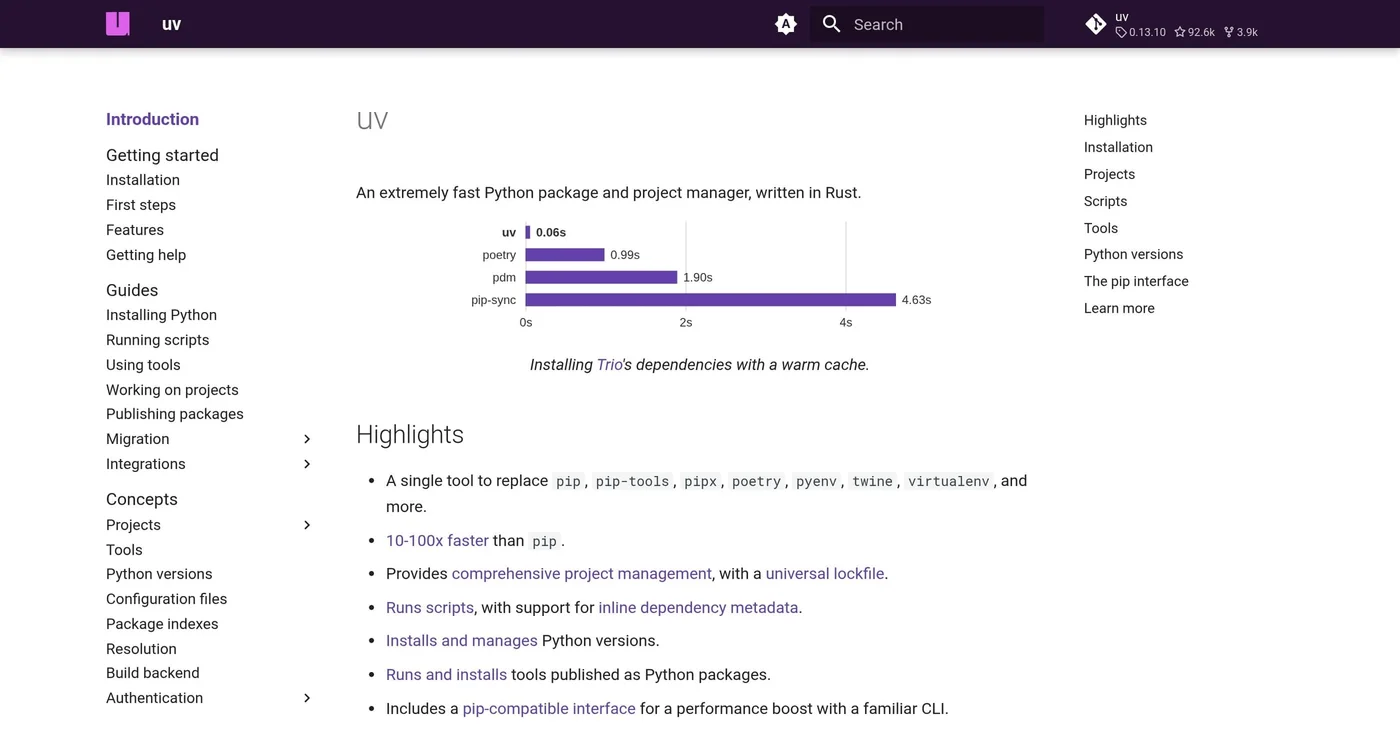
uv describes itself as "an extremely fast Python package and project manager, written in Rust." Astral released it on February 15, 2024 as a drop-in replacement for pip and pip-tools workflows. In August 2024 it grew into project management, which Astral summed up as "It's Cargo, for Python."
Today uv aims to replace pip, pip-tools, pipx, Poetry, pyenv, twine and virtualenv. It installs without Python, manages interpreters, and keeps a global cache to avoid downloading and building the same dependency twice. uv recorded 201.6 million downloads from PyPI in the last month, against pip's 622.9 million.
uv is still numbered 0.x, but its versioning policy calls it "widely used in production and is stable software." Breaking changes bump the minor version: uv 0.13.0 (October 9, 2026) made Python 3.15 the default, and 0.12.0 made uv init create packaged projects.
uv.lock records resolutions for every operating system, architecture and Python version in one file.pip.conf, does not compile bytecode by default and installs into virtual environments unless you pass --system or --python.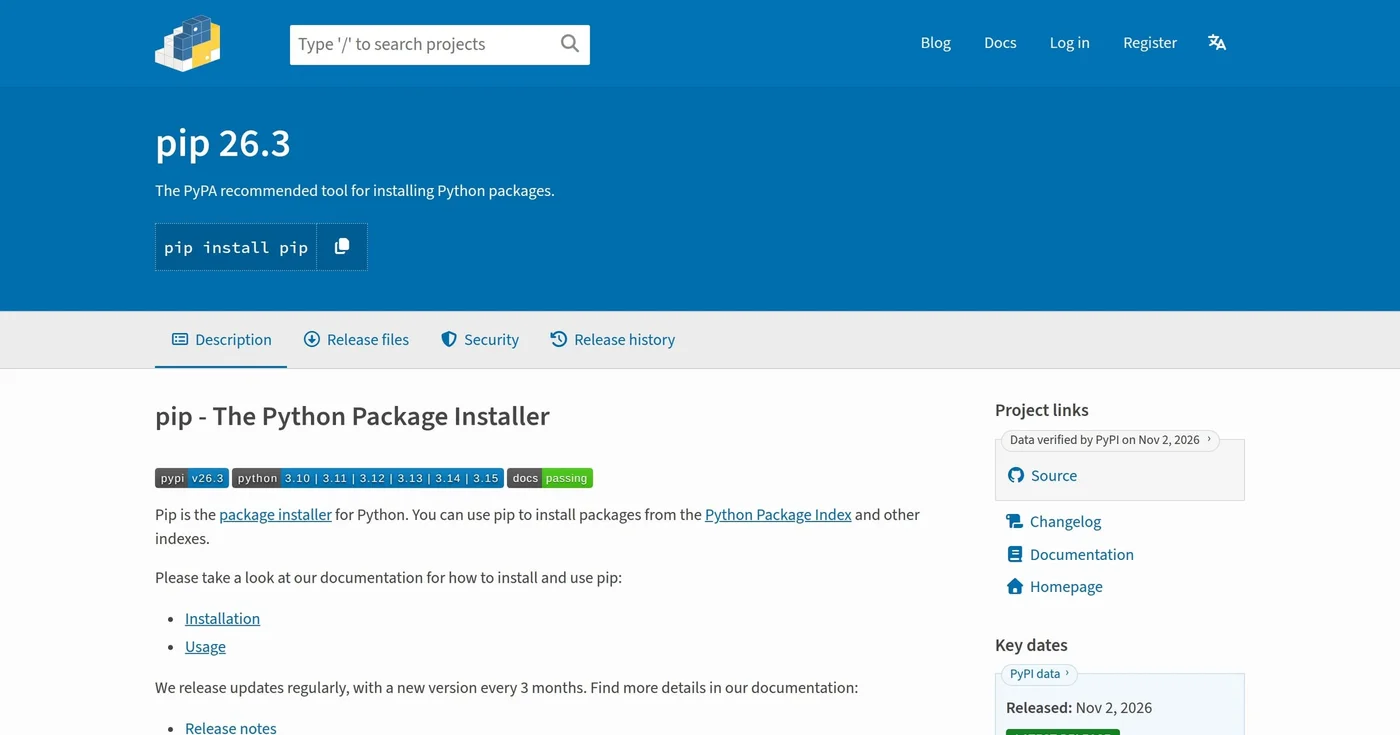
pip is "the package installer for Python," developed under the Python Packaging Authority. CPython bootstraps it through ensurepip, added in Python 3.4, so most Python installs and new virtual environments already have it.
pip keeps its scope narrow on purpose. Its documentation states that "Pip is not a workflow management tool," and that creating environments, running tasks, managing the interpreter and managing the project "are not part of pip's scope."
That scope still moves. The pip changelog shows pip 25.1 adding an experimental pip lock and --group for dependency groups, pip 26.0 adding PEP 723 script support, and pip 26.3 (November 2, 2026) adding extras selection for pylock.toml files.
pip.conf, PIP_INDEX_URL and other PIP_* variables keep working without changes.venv, a lock tool, a Python version manager and pipx alongside it.pip lock output "is only guaranteed to be valid for the current python version and platform."Astral's README claims uv is 10-100x faster than pip. Its launch post measured 8-10x without caching and 80-115x with a warm cache. We ran our own test instead of quoting third-party benchmarks.
The test installed jupyterlab==4.6.6 (90 packages) into a fresh virtual environment on an 8 vCPU Linux box, five runs per case. We used Python 3.15.2, pip 26.3 and uv 0.13.10, and report the median.
Case | pip 26.3 | uv 0.13.10 | uv speedup |
|---|---|---|---|
Cold cache | 10.18 s | 0.84 s | about 12x |
Warm cache | 9.05 s | 0.17 s | about 53x |
Warm cache, uv with | 9.05 s | 0.83 s | about 11x |
Create a virtual environment | 1.86 s | 0.01 s | over 100x |
The bytecode row matters for a fair comparison. pip compiles .py files to .pyc during install; uv skips that by default and recommends turning it on in Docker builds. With bytecode on, uv was still about 11x faster than pip.
Your numbers will differ with network speed, package mix and disk. The gap is largest where installs repeat: CI runs, Docker layers, and recreating environments.
Winner: uv. It was faster in every case we measured, from about 11x to over 100x.
pip installs packages into an environment and stops there. A typical pip setup adds python -m venv for environments, pip-tools or pip lock for pinning, pyenv for interpreters and pipx for CLI tools.
uv covers each of those jobs. Here is the same daily workflow both ways:
Task | pip workflow | uv |
|---|---|---|
Create an environment |
|
|
Install a package |
|
|
Install from a file |
|
|
Lock dependencies |
|
|
Run a CLI tool once |
|
|
Install a Python version | Not in scope |
|
uv has two interfaces, and they behave differently. The pip-compatible uv pip install changes the environment and leaves pyproject.toml alone. The project command, uv add, records the dependency in pyproject.toml, updates uv.lock and syncs the environment.
Install uv with Astral's standalone installer on macOS or Linux, or with pip install uv:
curl -LsSf https://astral.sh/uv/install.sh | shThen try the pip-compatible interface in an empty folder:
uv venv
uv pip install requests==2.34.2
uv run python -c "import requests; print(requests.__version__)"2.34.2You never activate the environment above. uv looks for an active environment or a .venv in the current or a parent directory, while pip installs into the global environment when none is active. To run tools such as Ruff without installing them into a project, use uvx:
uvx ruff@0.17.6 --versionruff 0.17.6Winner: uv. One binary replaces five tools, and it defaults to virtual environments instead of the system Python.
For Python automation, the biggest practical difference is how each tool runs a single-file script with dependencies. PEP 723 lets you declare those dependencies in a comment block at the top of the script.
Save this as report.py:
# /// script
# requires-python = ">=3.12"
# dependencies = [
#     "polars==2.2.0",
# ]
# ///
import polars as pl

orders = pl.DataFrame(
    {
        "region": ["EU", "US", "EU", "APAC", "US"],
        "amount": [120.0, 80.5, 42.0, 99.9, 300.0],
    }
)

revenue = (
    orders.group_by("region")
    .agg(pl.col("amount").sum().alias("revenue"))
    .sort("revenue", descending=True)
)
print(revenue)
With uv, one command creates a cached environment, installs Polars and runs the script:
uv run report.pyshape: (3, 2)
┌────────┬─────────┐
│ region ┆ revenue │
│ --- ┆ --- │
│ str ┆ f64 │
╞════════╪═════════╡
│ US ┆ 380.5 │
│ EU ┆ 162.0 │
│ APAC ┆ 99.9 │
└────────┴─────────┘pip 26.0 and later can read the same block (Python 3.15.2 bundles pip 26.3), but you create and choose the environment yourself:
python -m venv .venv
.venv/bin/pip install --requirements-from-script report.py
.venv/bin/python report.py
Both paths printed the same table in our test. uv add --script report.py "polars==2.2.0" writes the metadata block for you, and the uv scripts guide covers locking scripts too.
Winner: uv. pip now reads PEP 723, but uv turns a shared script into one command with no environment setup.
pip freeze > requirements.txt captures one environment on one machine. Direct and transitive dependencies end up in one flat list. pip's newer pip lock writes a standard pylock.toml (PEP 751), but it is still experimental and valid only for the platform that created it.
uv.lock is "a universal or cross-platform lockfile" covering every operating system, architecture and Python version. The trade-off: "The uv.lock format is specific to uv and not usable by other tools." When another tool needs your lock, export it with uv export -o pylock.toml.
Moving an existing requirements.txt project to uv takes three commands. The migration guide uses uv add -r; uv init --bare writes only a pyproject.toml, so uv adds no sample code:
uv init --bare
uv add -r requirements.txt
uv sync --locked
We tested it with a requirements.txt holding requests==2.34.2 and polars==2.2.0. The second command wrote both pins to pyproject.toml and created uv.lock. uv sync --locked then fails if the lockfile is out of date, which makes it a good CI check.
The standard format also works in the other direction. In our test, pip 26.3 installed a uv-exported pylock.toml with pip install -r pylock.toml and printed an experimental-feature warning.
Winner: uv. A cross-platform lock beats a per-platform one, and uv export keeps a standard pylock.toml one command away.
uv is the better default for new work, but pip remains the right tool in a few specific cases.
Your configuration lives in pip. uv "does not read configuration files or environment variables that are specific to pip, like pip.conf or PIP_INDEX_URL," per its compatibility guide. Private index settings must move to UV_INDEX_URL, uv.toml or [tool.uv.pip] first.
You need exact pip behavior. The same guide warns: "the further you stray from common pip workflows, the more likely you are to encounter differences in behavior." Resolution, pre-release handling and bytecode compilation all differ in documented ways.
You cannot add a tool. Locked-down servers, minimal images and beginner tutorials already have pip. For a Python for beginners audience, pip install is still the command every guide assumes.
Your stack is conda-based. Neither tool installs conda packages. Use conda or pixi for conda-forge dependencies. uv can install into an activated conda environment, and its PyTorch guide covers CUDA wheels from PyTorch's own index.
Winner: pip for existing pip configuration and environments where installing anything else is not an option.
Both tools are free. uv is dual-licensed under MIT or Apache-2.0 with no paid tier. pip is MIT-licensed and maintained by the Python Packaging Authority.
On March 19, 2026, OpenAI agreed to acquire Astral, subject to regulatory approval, and said it "plans to support Astral's open source products" after closing. Astral's own post says OpenAI "will continue supporting our open source tools." The permissive license means the community can fork uv if that changes.
The real cost is migration time: CI scripts, Dockerfiles and private index settings that assume pip.
Choose uv if you start new projects, run CI or Docker builds often, share automation scripts, or want one tool instead of five.
Choose pip if your setup depends on pip.conf or PIP_* variables, you cannot install extra tools, or you write for readers who only have stock Python.
Adopt uv in steps: replace pip install with uv pip install first, then move to uv add, uv lock and uv run. For a deeper look at uv itself, read our uv guide, and compare it with Poetry in uv vs Poetry.

Compare three Python linters: Ruff, Flake8, and Pylint. Speed, rule coverage, Flake8 drop-in vs Pylint residual, VS Code setup, and when to keep each one.

mypy catches 57% of type errors by default; pyright catches 97%. But mypy 2.1 now outruns pyright on batch CI. Here is the full 2026 breakdown.
