When Does Ollama Beat an API? A Python Playbook
Install Ollama, call the official Python 0.6.3 client, and size models to VRAM. Includes 2027 cloud prices, ollama ps checks, and when a hosted API still wins.
Updated 16 min read

Install Ollama, call the official Python 0.6.3 client, and size models to VRAM. Includes 2027 cloud prices, ollama ps checks, and when a hosted API still wins.
Ollama is the MIT-licensed runtime from Ollama Inc. that lets you pull an open-weight model, serve it on localhost:11434, and call it from the official Python client. This playbook covers install, official hardware floors, and the 2027 question that many 2025 tutorials still get wrong: when local inference beats a hosted API, and when Ollama's cloud plans are the better path.
The local product remains free. Cloud inference is optional, metered, and documented as of 27 November 2026. If you build agents in LangGraph or LangChain, the same local server can sit behind those stacks once you understand the memory limits first.
ollama ps before you blame the runtime. A split CPU/GPU line usually means the weights spilled out of VRAM.Ollama is a local-first model runner. You install one app, pull a packaged model from the model library, and talk to it from a terminal, a desktop chat window, or your own code.
Under the hood it is a runtime, not a model family. Llama, Gemma, Qwen, gpt-oss, and the rest are weights you download. Ollama is the installer, the server, and the client libraries that make those weights easy to call.
The project first shipped on 8 July 2023. Co-founders Jeff Morgan and Michael Chiang had earlier worked on Docker Desktop after Docker acquired their startup Kitematic, a history TechCrunch recounted when the company raised a $65 million Series B in July 2026.
The 2026 product is no longer "local only." You can still keep every prompt on your own GPU. You can also sign in and run larger models on Ollama's cloud, using the same CLI and the same Python client.
The useful question heading into 2027 is not "can I run an LLM at home?" You can. The question is when that is the right architecture.
Local inference still wins on privacy, offline use, and token cost for routine work. Official FAQ language is blunt: when you run locally, Ollama does not see your prompts. That is the reason many Python and data teams start here instead of sending production text to a vendor API.
Cloud and desktop-agent features are now first-class, though. The official quickstart shows how the macOS app connects Claude or ChatGPT Desktop.
The company account announced ChatGPT Desktop support starting with Ollama 0.34. Those paths are convenient, and they also make it easy to point a heavy agent at a model that does not fit your GPU.
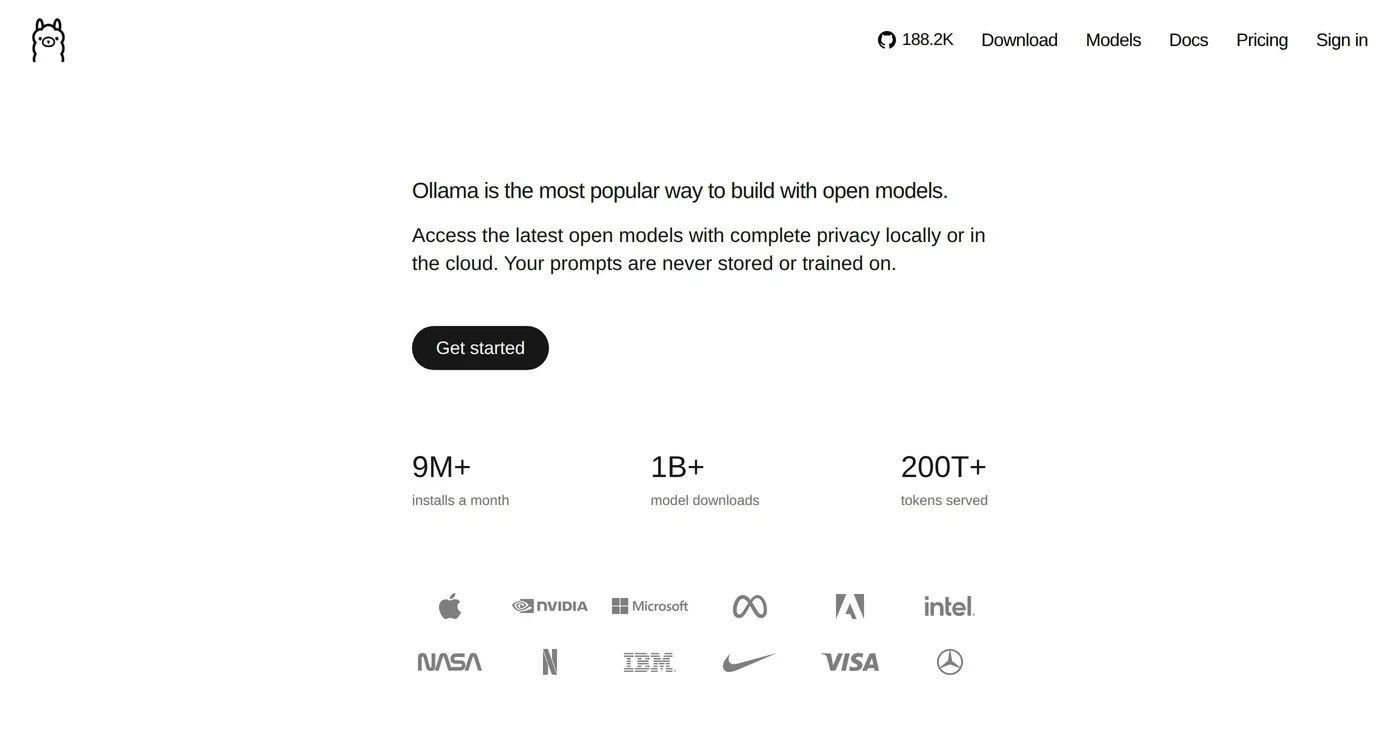
The homepage, as fetched on 27 November 2026, claims 9M+ installs a month. Treat that as a company figure, not an audited census. The practical takeaway is simpler: a lot of developers already have this binary on a laptop, and the defaults you learn here will show up in production scripts.
The mental model is a local server that optional cloud models can join. You install the app, pull weights (or a cloud tag), then call localhost:11434 or https://ollama.com.
On macOS and Linux, the documented one-liner is:
curl -fsSL https://ollama.com/install.sh | shmacOS users can also download the .dmg and drag Ollama into Applications. The app can create a CLI symlink in /usr/local/bin.
On Windows, official docs require Windows 10 22H2 or newer. The usual installer is OllamaSetup.exe, which does not need Administrator rights. PowerShell can also run:
irm https://ollama.com/install.ps1 | iexIf you use an NVIDIA GPU on Windows, install driver 551.61 or newer. Budget at least 4 GB of disk for the binary. Models need much more, often tens of gigabytes.
Linux upgrades by re-running the install script. macOS and Windows auto-update. Confirm the install with ollama -v.
On 27 November 2026 the installer from ollama.com/download delivered version 0.40.18, the same build GitHub lists as the latest release (24 November 2026).
Official Docker is the ollama/ollama image. GPU passthrough is documented for Linux and Windows WSL2, not for Docker Desktop on macOS.
Default model locations, from the local FAQ:
OS | Default model directory |
|---|---|
macOS |
|
Linux (standard installer) |
|
Windows |
|
Several popular tutorials still say Linux uses ~/.ollama/models. That path is wrong for the standard Linux installer. Override the location with OLLAMA_MODELS if your home disk is tight.
The server binds 127.0.0.1:11434 by default. Change the bind with OLLAMA_HOST.
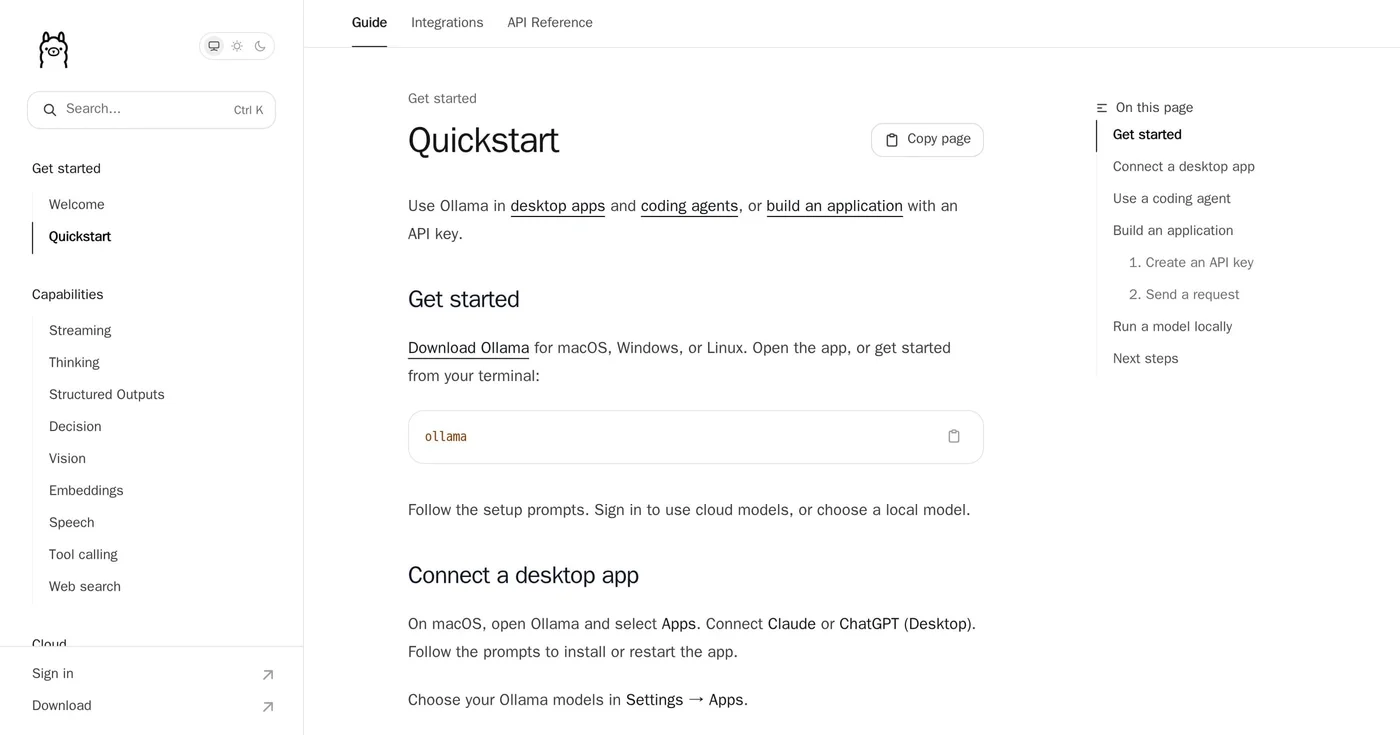
The official quickstart's local example is Gemma 4 E2B, with 8 GB of available VRAM or Mac unified memory recommended. The library tag page lists the download at 4.6 GB to 7.5 GB.
Larger context windows need more memory. If VRAM is short, the runtime can spill into system RAM, and responses slow down.
ollama pull gemma4:e2b
ollama run gemma4:e2b
ollama run is the interactive check that the install worked. Once that feels instant, you are ready to point Python or an agent at the same server. If the first "Hi" already takes several seconds, skip ahead to the hardware section before you wrap this model in an app.
Every local call, including the Python client, talks to http://localhost:11434/api. OpenAI-compatible clients can use http://localhost:11434/v1. Anthropic-compatible clients use the host as the base URL.
No API key is required for local inference. That is the whole point for scripts you run on a laptop.
The default context window is 4096 tokens. Raise it with OLLAMA_CONTEXT_LENGTH, with /set parameter num_ctx inside ollama run, or with num_ctx in the API.
Agent wrappers that attach a system prompt of tens of thousands of tokens will feel slow on this default even when the same short prompt is fast in the terminal. Developers on Reddit keep reporting that pattern, including in a cost-saving thread on r/ollama.
Cloud models run on Ollama's service so you can use weights that will not fit on your GPU. You need an account. You can call https://ollama.com/api directly with an API key, or sign in locally with ollama signin and pull a cloud tag through the same server.
export OLLAMA_API_KEY="your_api_key"
curl https://ollama.com/api/chat \
  -H "Authorization: Bearer $OLLAMA_API_KEY" \
  -H "Content-Type: application/json" \
  -d '{"model": "gemma4:31b", "messages": [{"role": "user", "content": "Say hello in one sentence."}], "stream": false}'
Official cloud docs also state a limitation you should not discover in production: cloud models do not support structured outputs as of this writing. If your pipeline depends on a schema, keep that work local or use a different host.
You can turn cloud features off entirely with OLLAMA_NO_CLOUD=1 or "disable_ollama_cloud": true in ~/.ollama/server.json, per the local FAQ.
The package name is ollama. On 27 November 2026 the current PyPI release was 0.6.3. It needs Python 3.8 or newer, plus httpx 0.27+ and pydantic 2.9+.
This is the piece the "ollama python" SERP still buries under YouTube intros and typo packages. Use the official library, not a similarly named extra on PyPI.
If you already manage tools with uv, install into a project environment the same way you would any other pinned dependency.
python3 -m venv .venv
source .venv/bin/activate
pip install "ollama==0.6.3"
The Ollama app (or ollama serve) must already be running, and you need a pulled model. The client does not start the server for you.
The official README pattern is chat() plus a ChatResponse. The library exposes both mapping and attribute access on the response.
from ollama import ChatResponse, chat

response: ChatResponse = chat(
    model="gemma4:e2b",
    messages=[{"role": "user", "content": "Reply with exactly: hello from ollama"}],
)
print(response.message.content)
Streaming is the same call with stream=True. Print each chunk as it arrives:
from ollama import chat

stream = chat(
    model="gemma4:e2b",
    messages=[{"role": "user", "content": "Reply with exactly: hello from ollama"}],
    stream=True,
)
for chunk in stream:
    print(chunk.message.content, end="", flush=True)
print()
Keep generative demos this tight in tests. Model text varies; a short, constrained prompt is easier to check for shape than an open-ended essay.
Client and AsyncClient take the same options, including extra httpx keyword arguments. The default host is the local server. For direct cloud access, point the host at https://ollama.com and send a bearer token.
import os

from ollama import Client

local = Client(host="http://localhost:11434")
print("local models:", [m.model for m in local.list().models])

key = os.environ.get("OLLAMA_API_KEY")
if key:
    cloud = Client(
        host="https://ollama.com",
        headers={"Authorization": f"Bearer {key}"},
    )
    print("cloud client ready for", cloud)
The list() call above is the sanity check I want in every script: if the local client cannot see gemma4:e2b (or whatever you pulled), chat() will fail for a boring reason.
Other official helpers wrap the REST API: generate, show, pull, delete, create, copy, and push. There is also a System One helper for classification-style models. The Python README says System One runs locally with decision models such as nimble on Ollama 0.35.0 or later, and in the cloud with clef:cloud on a paid plan.
If you later wire this client into Pydantic AI or a graph-shaped agent, keep the model name and the host in one place. Switching from local gemma4:e2b to a cloud tag should not require a rewrite of your tool loop.
Hardware is where local inference either feels like magic or like a hung process. Official support is broader than most blog posts still claim, and narrower than "it will just use my GPU."
You do not need a GPU. The hardware docs explain how to hide devices (for example CUDA_VISIBLE_DEVICES=-1) and force CPU use.
CPU inference works. It is also how people end up waiting minutes for a reply.
NVIDIA support covers compute capability 5.0 and newer, with driver 550 or newer. Cards in compute 5.0 through 6.2 need driver 570 or newer. The official table runs from RTX 50-series parts through older Maxwell cards such as the GTX 750 Ti.
AMD is supported through ROCm on Linux (the docs require ROCm v7) and through a ROCm v7 / HIP7 or Vulkan path on Windows. Apple GPUs use Metal. Extra Windows and Linux GPUs can use Vulkan (OLLAMA_VULKAN=0 or GGML_VK_VISIBLE_DEVICES to control that path).
There is no official universal "N GB of RAM per billion parameters" chart in the docs reviewed for this article. Trust the per-model library page, plus the Gemma 4 E2B figures already cited: 8 GB of VRAM or unified memory, and a 4.6 GB to 7.5 GB download range.
When a model is too big for VRAM, Ollama can split it with system RAM. The result is not a hard crash every time. It is a model that answers "Hi" in several seconds and then falls over as the context grows.
That is not a hypothetical. In 2026, u/Sadhvik1998 wrote in r/ollama about an RTX 4080 with 16 GB running Gemma 4.31b (thread).
The post said a simple "Hi" took 4-6 seconds, and more context sometimes got "cancelled/killed."
The diagnostic is official. Run:
ollama psThe FAQ says 100% GPU means the model loaded entirely on the GPU. A split such as 48%/52% CPU/GPU, the example used there, means part of the model is in system memory. Fix that by picking a smaller tag, shortening context, or moving the job to cloud.
A related failure is the "terminal is fast, my app is not" report. u/debug2thrive hit that in the same subreddit (thread).
The prompt was quick in the Ollama terminal and painfully slow once an app wrapped the model. Commenters pointed at huge agent system prompts, missing GPU offload, and laptop-class hardware.
Check ollama ps and the context length before you rewrite your Python.
Use this as a decision table, not a slogan. Local is not morally superior. It is a deployment choice with math behind it.
Situation | Better default |
|---|---|
Prompts must stay on the machine | Local Ollama |
Offline use, no vendor login | Local Ollama |
Mid-size model fits 100% in VRAM | Local Ollama |
Routine scripts where tokens would add up | Local Ollama |
Model is larger than VRAM (slow | Ollama cloud, or a smaller local tag |
You need a stronger model than local hardware can run well | Frontier API, or an Ollama cloud flagship tag |
You need structured outputs on a cloud tag | Not Ollama cloud (unsupported); keep it local or change host |
High concurrency, many parallel agents | Ollama Max/Team cloud, or a dedicated server runtime |
Local wins when the model fits and the task is "good enough." Plenty of practitioners use a mid-size local model for daily coding or analysis, then keep a frontier API for planning. That split is boring, and it works.
Local loses when you pretend VRAM is infinite, or when you expect a local Gemma 4 to match Claude on a messy, tool-heavy agent run.
Kevin Stratvert put the limit plainly after a Claude Code demo (video): "Of course, since you're running the AI model on your own computer, the performance that you see depends on your own hardware."
He added that local models like Gemma 4 "aren't always as capable as Anthropic's Claude models, especially if your project happens to be more complex."
Ollama cloud is the official middle path. In July 2026, CEO Jeff Morgan told TechCrunch that state-of-the-art open models are often "too big to run on your own computer," so the company started finding the compute for that.
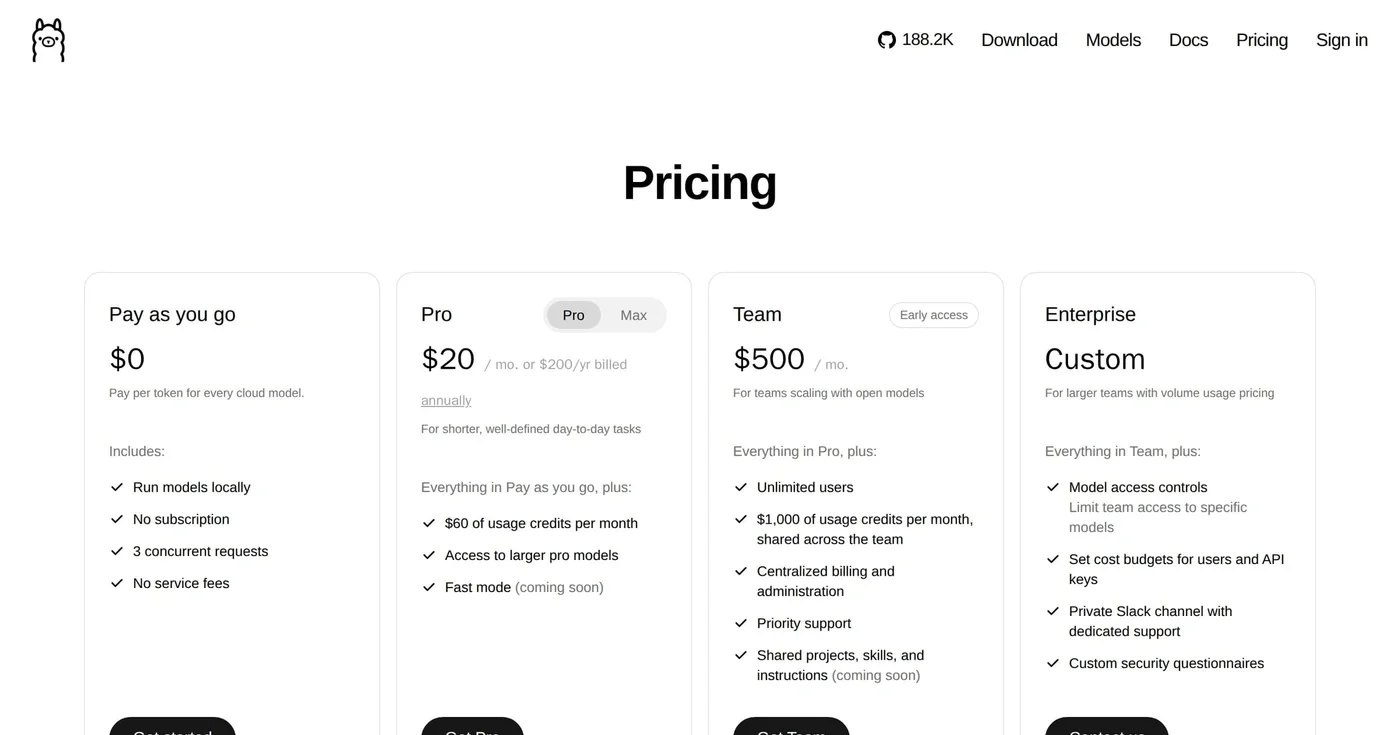
Board member Peter Fenton added that the core desktop product remains free. The pricing page on 27 November 2026 matches that split:
Plan | Price | Included credits | Concurrent requests |
|---|---|---|---|
Pay as you go | $0 + tokens | Buy credits as needed | 3 |
Pro | $20/mo or $200/yr ($16.67/mo billed annually) | $60/mo | 3 |
Max | $100/mo | $300/mo | 10 |
Team (early access) | $500/mo | $1,000 shared | 10 |
Enterprise | Custom | Volume | Custom |
Unused included credits do not roll over. Off-peak discounts apply outside 12:00-18:00 UTC on weekdays, and all day on weekends.
Cloud compute is hosted primarily in the United States, with possible routing to Europe. Ollama says it partners with NVIDIA Cloud Providers under no-logging, no-training, and zero-retention rules.
Example standard rates per million tokens on that date: Gemma 4 at $0.14 input, $0.05 cached, $0.40 output; gpt-oss:20b at $0.07, $0.035, and $0.30.
A frontier API still wins when you need the strongest available model and you can accept the data-handling trade. Ollama is not trying to be ChatGPT. It is trying to be the place you run open models, locally first.
If you outgrow a single laptop server, the named alternatives are different tools, not failed installs. LM Studio is the usual GUI-first runner (a full comparison belongs in its own piece).
On r/LocalLLaMA, experienced users say they move to llama.cpp once they want more control or better performance. On LinkedIn, Alex Wang framed Ollama as the local-development default, with vLLM and SGLang for high-throughput serving.
Do not promote this runtime as a GPU cluster scheduler. Dagster and similar orchestrators can call it, but they will not make a 31B dense model fit in 16 GB.
ollama pull succeeding only means the blob is on disk. Run ollama ps after the first prompt and look for 100% GPU.
If you see a CPU/GPU split, pick a smaller tag or shorten context. The 16 GB / 31B failure mode is expensive only in time.
If ollama run is fast and your agent is not, inspect the system prompt and num_ctx first. Coding tools can attach tens of thousands of tokens before your first user line.
Local inference is still free. Cloud inference is not.
Pages and videos that say there are "no API fees, subscriptions, or usage limits" are describing the local product only. Check current pricing before you budget a cloud tag.
The standard Linux installer stores models under /usr/share/ollama/.ollama/models, owned by the ollama service user. If you copy files into ~/.ollama/models and wonder why the service cannot see them, this is why.
Anthropic-compatible routing works. Quality and latency are still your hardware's problem.
Alfredo Deza's public take in January 2026 was that pointing Claude Code at a local model "works" and "is also not a good experience," even with recommended models and a powerful GPU (post). Budget time to test models, or keep the agent on a hosted model.
The most useful 2026 case study is not a vendor case study. It is the split in practitioner results when people point Claude Code at Ollama.
Konstantin Taletskiy tested 18 local models on a 48 GB MacBook Pro and reported that devstral-small-2:24b and qwen3-coder:30b completed his task with no intervention (post). That is a strong machine and a careful bake-off, not a laptop with 16 GB of unified memory.
Alfredo Deza, on the same Claude Code path, said the integration works and still felt poor. Kevin Stratvert's walkthrough shows the official app picker, including tags that end in cloud, and then reminds you that local Gemma 4 will not always match Anthropic's models on a complex project.
The lesson I would take into 2027 is narrow. Use the Apps toggle or ollama launch when you want Claude or ChatGPT Desktop to talk to a model you control.
Test the actual model on your actual hardware. If the agent loop is the product, be ready to pay for a frontier model or an Ollama cloud tag.
If the job is a private Python script or a data analysis notebook, a local model that sits at 100% GPU is still the better default.
uv vs pip tested on Python 3.15: uv 0.13 installed JupyterLab 12x faster cold and 53x faster warm than pip 26.3. Lockfiles, scripts and when pip still wins.
Compare three Python linters: Ruff, Flake8, and Pylint. Speed, rule coverage, Flake8 drop-in vs Pylint residual, VS Code setup, and when to keep each one.